In short
- You set up a notification with a magnetic contact on the flap plus an automation. A Zigbee flap sensor costs €14.95, provided you already have a gateway.
- A ready-made smart parcel box with 4G costs €1,599. That is a factor of 107.
- Check the stated operating temperature first: the Aqara P2 stops at -10 °C, the Shelly BLU at -20 °C, the frient at 0 °C.
- Of eleven flap sensors, three publish an IP code, and those are IP20 and IP40: not splash-proof.
- Metal dampens 2.4 GHz. Put a mains-powered Zigbee router close by, or choose 868 MHz.
- Building it yourself with an ESP32-C3 costs about $15.50 and lasts four to eight months per charge.
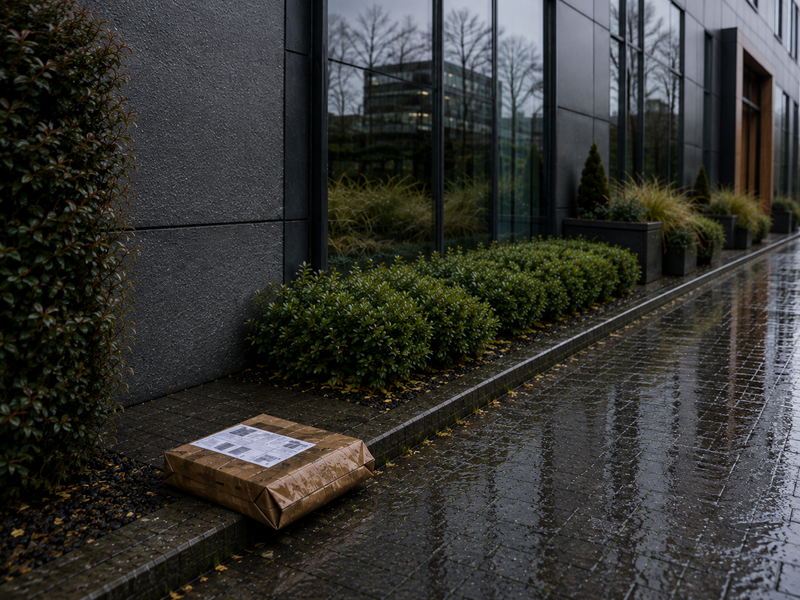
You make a parcel letterbox smart with a separate magnetic contact on the flap, a gateway that picks up that signal and an automation that turns it into a push notification. The sensor costs from €14.95, setting it up takes half an hour, and the only specification you really need to check is that sensor's operating temperature.
Below is what you will hardly find complete on any page in Dutch or English: the datasheets of eleven flap sensors side by side, with the stated temperature range, the IP code, the battery claim and the price, plus the places where those sources contradict each other. After that, the radio engineering of a metal box, the route from sensor to notification in Home Assistant, the measured current figures of an ESP32 that is supposed to be sleeping, and what ready-made smart boxes cost in the Netherlands, Belgium and Germany. We make parcel letterboxes ourselves in our own factory, so we look at sheet metal, flap geometry and installation rather than at an affiliate link. If you want the basics first, start with the knowledge base.
- €14.95Zigbee 3.0 flap sensor at a Dutch webshop, gateway separate (€29.95)
- €1,599Custo Smart parcel box with built-in 4G, price incl. VAT via Van Eyck
- -10 °Clowest stated operating temperature of the Aqara P2, with no IP rating
- 205 dayscalculated running time of an ESP32-C3 build on a 3000 mAh cell

How do I get a notification on my phone when there is a parcel in the box?
You need three things: a sensor that notices the flap opened, something that brings that signal into your home automation, and an automation that turns it into a message. All three can be bought separately and all three can be replaced. That is the whole story, and it is why a smart parcel letterbox does not have to be a separate product.
In Home Assistant, a flap sensor like this becomes a binary_sensor with device class door or opening. The Home Assistant documentation is brief on this: for these device classes, on means open and off means closed. For a motion sensor the device class is motion, where on means motion detected and off means no motion. That sounds trivial, but it is exactly where the first error in thinking lies: a flap contact reports that the flap opened, not that there is a parcel inside. If you want to know whether there is something in the box, you have to infer it from the sequence of events or add a second sensor.
The notification itself comes from the Home Assistant Companion App. It creates a notify action per device, and the documentation says you will find all your devices as targets for the notify action, with names starting with notify.mobile_app_ followed by that device's Device ID. So a minimal action is literally two lines: the action notify.mobile_app_<device_id> and a message. If you want buttons in the notification, there are actionable notifications; if you want the notification to break through silent mode, there are critical notifications. For iOS it states explicitly that critical notifications cannot be grouped or replaced.
Which route you choose depends on what you already have at home. If you already have a Zigbee stick or a hub, a flap sensor for around fifteen euros is the cheapest step there is. If you have nothing, you either buy a parcel alert with its own app, or you start with a gateway. If you would rather solder than buy, you build it with an ESP32. And if you want to set up nothing at all, look at the ready-made boxes further down, with the price tag that goes with them.
One thing is the same for all four routes: the box itself does not have to be smart. The sensor sits on the inside of an ordinary box, and the box determines whether that works at all. A flap with a solid stop, a flat wall to stick something on and a parcel compartment big enough not to crush the sensor: that is what you ask of the box. What does and does not fit through it is covered in which size parcel letterbox you need.
Which sensor can I use in a parcel letterbox?
There are seven measuring principles used in practice, and they differ not in price but in what they get wrong. Below, for each type, is what it measures, where it goes wrong and where that comes from. As you read, note the pattern: anything that measures the presence of a parcel directly uses power; anything that measures an event can sleep.
| Sensor type | What it measures | Where it goes wrong in a parcel box | Source and date |
|---|---|---|---|
| Magnetic contact (reed or Hall) | Separation of magnet and sensor, so flap open or closed | The gap must be small: frient gives 0.1 to 1.0 cm, SONOFF a maximum mounting distance of 20 mm. And the contact reports every opening, including yours | frient and ITEAD product pages, retrieved 26 August 2026 |
| Motion sensor (PIR) | Heat movement in a cone, for the Aqara P1 170 degrees up to 2 m and 150 degrees up to 7 m | A parcel lying still radiates nothing and becomes invisible after the adjustable timeout of 1 to 200 seconds. Thin post does not fill the field of view | Aqara Motion Sensor P1, retrieved 26 August 2026; Homey Community NL |
| Vibration sensor | Vibration, tilting and falling, three-axis acceleration, pitch, roll and yaw from -90 to 90 degrees | The documentation states that vibration reports come at most about once a minute, regardless of continuous movement. Outdoors, wind, traffic and a gate slamming also cause vibrations | Zigbee2MQTT, DJT11LM, retrieved 26 August 2026 |
| Weight sensor (load cell with HX711) | Mass in the box, via a load cell and an amplifier | The HX711 has no calibration data; you have to do a two-point calibration yourself. The default update interval is 60 s, so the sensor has to stay awake | ESPHome hx711 component, retrieved 26 August 2026 |
| Light sensor (LDR or lux) | Light intensity, so light coming in or light being blocked | In the dark there is no light to block, and in a closed box it is always dark. There is no manufacturer source with a lux threshold for letterbox detection | Shelly Knowledge Base and Aqara, retrieved 26 August 2026 |
| Distance sensor, ToF (VL53L0X) | Distance to the first surface in a narrow cone | ESPHome calls surfaces up to 60 cm reliable and says performance depends on reflectance, field of view and temperature. Matt cardboard reflects poorly and a parcel next to the cone is missed | ESPHome vl53l0x component, retrieved 26 August 2026 |
| Distance sensor, ultrasonic (HC-SR04) | Distance via a sound pulse | ESPHome writes that these sensors usually measure no further than about two metres and gives no accuracy or temperature specification. Cobwebs, snow and condensation on the transducer disrupt the measurement | ESPHome ultrasonic component, retrieved 26 August 2026 |
| Pressure mat or pressure plate | Pressure of an object on a mat in the floor | We searched manufacturers for this and found no datasheet for a pressure mat sold for letterbox or parcel detection, with measuring principle, temperature range or IP code. So as a fact this cannot be substantiated | Negative finding, checked 26 August 2026 |
The magnetic contact wins this list on simplicity and power consumption, and loses on meaning: it does not know who opened the flap. That is not a theoretical problem. A user who added his letterbox to Home Assistant wrote literally that he did not want the automation to trigger when he opened the box himself to take out the post, and solved it with a condition that checked whether there was already post inside. The same author had to fix stacked fridge magnets in place with insulating tape because the gap between sensor and magnet was too big. That is the reality of a sensor designed for an indoor door.
There is another detail you will not find in any webshop description: a mechanical contact bounces. ESPHome warns about this explicitly and writes that some binary sensors are unstable and switch rapidly back and forth between ON and OFF, and that you should debounce this with binary sensor filters, for example delayed_on: 10ms and delayed_off: 10ms. Without debounce, a flap with a spring that vibrates on produces three notifications instead of one.
So the combination that works best in practice is not one sensor but two. One DIY project deliberately combines a reed switch for flap open with a VL53L0X for is there something inside, with the aim of ruling out false positives. The same logic is in the ready-made Home Assistant blueprints further on in this article.
Which flap sensor is suitable for outdoor use according to the manufacturer?
This is the section you are here for. A parcel letterbox stands outdoors, and a sensor made for an indoor door has two enemies there: cold and condensation. For eleven flap sensors we pulled up the manufacturer's own specification page or datasheet and looked up the four figures that matter: the stated operating temperature, the IP code, the battery with its stated life, and the price. The result is strikingly consistent.
| Product | Protocol | Stated operating temperature | IP code | Battery and stated life | Price | Source and date |
|---|---|---|---|---|---|---|
| Aqara Door and Window Sensor P2 | Thread and Bluetooth LE | -10 to 50 °C | Not stated | CR123A included, life not stated | Not stated | Aqara specification page, retrieved 26 August 2026 |
| SONOFF SNZB-04P | Zigbee 3.0 | -10 to 60 °C | Not stated | CR2477, 3 V, more than 5 years of use at 50 triggers a day and 25 °C | US$15.90 | SONOFF product page, retrieved 26 August 2026 |
| SONOFF SNZB-04 (discontinued) | Zigbee | Not stated on the product page | Not stated | CR2032, life not stated, alert at 10 per cent | US$8.49 | ITEAD product page, retrieved 26 August 2026 |
| Shelly BLU Door/Window | Bluetooth 4.2, 2400 to 2483.5 MHz, maximum 4 dBm | -20 to 40 °C | Not stated | 1x CR2032, 5 years | €16.90 incl. VAT at Shelly, €15.48 for the ZB version at Shellyparts.de | Shelly Knowledge Base and Shelly webshop, retrieved 26 August 2026 |
| SwitchBot Contact Sensor | Bluetooth LE 5.0 or higher, Long Range | -10 to 60 °C, 20 to 85 per cent RH | Not stated | 2x AAA, typically 3 years at 80 openings, 80 closings, 40 button presses, 40 light readings and 20 scenes | Not stated on this page | SwitchBot product page, retrieved 26 August 2026 |
| Philips Hue Secure contact sensor | Zigbee and Bluetooth | -20 to 45 °C | IP20 | CR2, 2 years | £34.99, plus Bridge Pro £89.99 | Philips Hue UK, retrieved 26 August 2026 |
| frient Entry Sensor | Zigbee HA 1.2, end device | 0 to 50 °C | IP40 | 2x AAA, 9 years when reporting every 2 minutes | Not stated | frient product page, retrieved 26 August 2026 |
| frient Entry Sensor 2 Pro | Zigbee 3.0, end device | 0 to 50 °C | IP40 | 2x AAA alkaline, up to 7.5 years in normal use | Not stated | frient product page, retrieved 26 August 2026 |
| Homematic IP HmIP-SWDO-I | 868.0 to 868.6 and 869.4 to 869.65 MHz | -10 to 50 °C | IP20 | 2x LR03 AAA, typically 4 years | Not stated in the datasheet | Homematic IP product datasheet, retrieved 26 August 2026 |
| Tuya TS0203 (white label, including CR Smart Home, Tesla Smart, Cleverio) | Zigbee | Not stated | Not stated | Type not stated, first battery report can take up to 24 hours | See the Dutch shop price on the next line | Zigbee2MQTT device page, retrieved 26 August 2026 |
| Tuya-type smart letterbox sensor, Dutch webshop | Zigbee 3.0 | Not specified | Not specified | CR2032, up to 2 years | €14.95 incl. VAT, hub optional €29.95 | SmartHomeKoning, retrieved 26 August 2026 |
Read that IP column again. Of the nine brands examined, not a single cheap contact sensor publishes an IP rating on its own product or specification page. Three products do, and those very three are thereby saying they are not splash-proof: frient is IP40, Philips Hue Secure IP20 and the Homematic IP HmIP-SWDO-I IP20. So an IP code here is not a seal of quality but a limit. And we cannot back up exactly what the codes mean with a primary standards source: we looked up the IP definitions at the IEC and that page could not be retrieved on 26 August 2026. So we quote the codes exactly as the manufacturer states them, without inventing an explanation.
Where the sources contradict each other
This is where it gets interesting, because two primary sources from the same manufacturer paint a different picture. Homematic IP's comparison PDF gives no Schutzart (protection rating) for any model. If you only look at the temperature column in that PDF, you see a range of -10 to 50 °C for the HmIP-SWDM-2 and conclude that it can go outdoors. The individual product datasheet of the HmIP-SWDO-I, however, explicitly says Schutzart IP20. The conclusion you should draw: a wider temperature range is no proof of outdoor suitability. They are two separate specifications that have nothing to do with each other.
The same PDF shows something else you will not find on any webshop page: within one and the same product line, the temperature ranges vary enormously. In that comparison the HmIP-SWDO-2 and the HmIP-SWDO-PL-2 are listed at 5 to 35 °C, while the HmIP-SWDM-2 is at -10 to 50 °C. With 5 °C as the lower limit, an average November morning in the Netherlands is already out of range.
The battery claims contradict each other just as sharply. frient claims 7.5 to 9 years, SONOFF more than 5 years, SwitchBot typically 3 years and a Dutch webshop up to 2 years for a Tuya sensor. All four claims apply at room temperature and with a low number of openings a day. So do not count on them in a box outdoors. What the cell itself can do is well documented, by the way: the Energizer CR2032 datasheet (form 2032NA0618) gives 235 mAh to 2.0 V, 3.0 V nominal and an operating temperature range of -30 to 60 °C. That datasheet makes no statement about loss of performance at low temperatures. So the bottleneck is not the cell but the device around it.
Please note. When choosing a sensor, do not compare the price but the lower limit of the operating temperature. In frost, the Aqara P2 (-10 °C), frient (0 °C) and Homematic IP HmIP-SWDO-2 (+5 °C) are outside their stated specification, and the Shelly BLU, at -20 °C, goes furthest of this group. All the sensors examined also specify humidity exclusively as non-condensing.
Does a wireless sensor work through a metal parcel letterbox?
Short answer: sometimes, and the difference lies in the frequency and in where a relay station sits. Steel is a good reflector of 2.4 GHz radio waves, and that is exactly the band in which Zigbee, wifi and Bluetooth operate. The designer of a letterbox switch puts it bluntly: many letterboxes are made of metal, and that is very effective at blocking RF signals. His solution is an external wifi antenna outside the box.
Even mounting the sensor directly on the metal mailbox prevented communication entirely.
Make It Work Tech, Easy Mailbox Notifications in Home Assistant, 7 September 2021
The same user reported that his Z-Wave signal only got about halfway, that metal doors and brick dampened it heavily and that he needed three repeaters. There is a clear counter-example alongside it: in a metal Allux 600 (powder-coated steel, 105 x 38 x 23 cm), two Zigbee contact sensors did work, with the remark that the signal is strong enough to get through the steel, and with a Zigbee repeater close by. That word repeater is the key. A third user chose the Ring Mailbox Sensor on the grounds that it was the only solution that worked with his metal letterbox, because of the antenna.

The range figures manufacturers publish vary so widely that you have to put them side by side to weigh them. This is what they actually say.
| Product or protocol | Frequency | Stated indoor range | Stated outdoor or open-field range | Source and date |
|---|---|---|---|---|
| Shelly BLU Door/Window | Bluetooth 4.2, 2400 to 2483.5 MHz | Up to 10 m | Up to 30 m, with the explicit disclaimer that it depends on local conditions | Shelly Knowledge Base, retrieved 26 August 2026 |
| Homematic IP HmIP-SWDO-I | 868.0 to 868.6 and 869.4 to 869.65 MHz | Not stated | Typically 230 m open-field range | Homematic IP product datasheet, retrieved 26 August 2026 |
| SwitchBot Contact Sensor | Bluetooth LE Long Range | Not stated separately | 80m/120m feet line of sight under ideal conditions, literally like that on the page, with an inconsistent unit | SwitchBot product page, retrieved 26 August 2026 |
| SONOFF SNZB-04 | Zigbee, 2.4 GHz | Not stated | Less than 80 m between sensor and Zigbee bridge in open space | ITEAD product page, retrieved 26 August 2026 |
| Tuya Zigbee sensor, Dutch webshop | Zigbee 3.0, 2.4 GHz | Not stated | About 15 m without obstacles | SmartHomeKoning, retrieved 26 August 2026 |
| Zigbee according to the standards body | 2.4 GHz and sub-GHz PHY | Not published | Not published. On its Zigbee page, the CSA does mention AES-128 encryption and a self-organising, self-healing mesh that scales to thousands of nodes | Connectivity Standards Alliance, retrieved 26 August 2026 |
| Wifi 2.4 GHz | 2.4 GHz | Not published | Not published. We checked the Wi-Fi Alliance main page and there is no range figure for 2.4 versus 5 GHz | Wi-Fi Alliance, retrieved 26 August 2026 |
| LoRaWAN | Not stated on the retrieved page | Not stated | Up to 15 km in rural areas, plus the claim of more than 10 years of use without changing the battery | LoRa Alliance, retrieved 26 August 2026 |
Two things stand out. First, that 868 MHz in the open field reaches an order of magnitude further than 2.4 GHz: 230 m against 80 m, and against 15 m according to a Dutch webshop for a Zigbee sensor. For the same band, that is a factor of five between two statements about Zigbee alone. Second, that the most usable figure in this entire research is the most sober one: Shelly gives 10 m indoors and 30 m outdoors, with the disclaimer attached. A manufacturer that states both indoor and outdoor ranges gives you something you can work with.
STATED RANGE, AS THE MANUFACTURER ITSELF GIVES IT
Sources: Shelly Knowledge Base, SmartHomeKoning, ITEAD and the Homematic IP product datasheet, all retrieved 26 August 2026. These are figures stated by the manufacturer or seller, not our own measurements.
What to do with this in practice
The most important property of Zigbee for a letterbox is in the Zigbee2MQTT project documentation: routers may not sleep and are therefore unsuitable for battery power, whereas end devices can sleep, and routers are the gatekeepers of the network. Translated to the front garden: the sensor in the box is always an end device, so you need something on mains power that acts as a router. A smart plug in the front room, on the street side, is the cheapest fix there is.
Zigbee2MQTT also warns about something people almost never see as the cause: wifi and Zigbee share the 2.4 GHz band and can interfere with each other. The documentation says a 50 cm USB extension cable is enough to reduce the interference, with an explicit warning not to underestimate this, because an adapter close to a USB or HDMI port can kill the radio signal completely. Sources of interference named: Bluetooth devices, wireless gaming dongles such as Logitech Unifying and Lightspeed and Razer Hyperspeed, wireless audio transmitters, smart energy meters that use Zigbee themselves, and Philips Hue bridges. The advice is concrete: change the Zigbee channel, keep the adapter away from the router and SSDs, use USB 2 instead of USB 3, vary the position of the adapter and keep an eye on the link quality.
If you design your own circuit board rather than buying a sensor, Espressif has a schematic checklist requiring the characteristic impedance of the antenna to be around 50 ohms, plus a CLC matching network and ESD protection. What it does not contain is a keep-out zone or anything about metal enclosures. We looked for that in the ESP32 hardware guidelines and it is not there. If you want certainty, take the antenna outside, as the designer of the letterbox switch mentioned earlier did.
How do I set up a parcel notification with Home Assistant?
The route is always the same four steps, whichever sensor you choose. Sensor, gateway, automation, notification. What differs is which integration you use to build that gateway.
Which integration should you choose for step 2?
There are three routes, all three described in the official documentation.
- ZHA. Home Assistant describes ZHA as a hardware-independent Zigbee gateway that can replace most proprietary Zigbee gateways, bridges, hubs or controllers. The recommended hardware is the Home Assistant Connect ZBT-2, with the discontinued but still supported Connect ZBT-1 and the Home Assistant Yellow with built-in radio as alternatives. Also supported: Silicon Labs EmberZNet (EZSP), Texas Instruments Z-Stack (ZNP), dresden elektronik deCONZ, ZiGate and Digi XBee. ZHA uses the zigpy library and ZHA Device Handlers for devices that deviate from the standard.
- Zigbee2MQTT. The project describes itself as a Zigbee-to-MQTT bridge for getting rid of proprietary Zigbee bridges. You need three things: a Zigbee adapter, with the zStack and EmberZNet chipsets recommended and USB, GPIO and connections over wifi or ethernet supported; a host on Linux, Windows or macOS; and an MQTT broker, for which Mosquitto is recommended. There is a Home Assistant add-on, so in practice this is a fifteen-minute installation.
- ESPHome. According to its own documentation, ESPHome is a firmware generator and configuration system that turns microcontrollers into fully customisable smart home devices. The connection to Home Assistant runs via the native API, described as a lightweight, two-way protocol over TCP optimised for microcontrollers, with a mandatory encryption key in the form of a 32-byte base64 string. For a letterbox, one detail from that documentation matters: Home Assistant keeps a permanent connection to every ESPHome device and automatically tries to reconnect if the connection drops, including support for sleepy or battery-powered devices that periodically wake from deep sleep.
That third route comes with a quirk you need to know in advance: ESPHome entities become unavailable during deep sleep. ESPHome has its own FAQ entry on this. So your dashboard shows no usable status between two notifications, and automations that rely on a state rather than an event will falter. For a letterbox that is fine as long as you work on the trigger and not on the state.
Existing blueprints and projects, and what they really do
You do not have to come up with the logic yourself. There are four worked-out solutions ready to use, and it is useful to know how they distinguish between delivery and collection.
The Smart mailbox v1.0.1 blueprint by user eroak, in the Home Assistant Blueprints Exchange, uses a motion sensor in the box plus confirmation entities, so door or window sensors or switches, with optional counters and datetime helpers. The logic: on motion, it checks within an adjustable timeout whether a confirmation sensor triggers. If it does, it was a collection. If it does not, it was a delivery. The blueprint keeps track of the amount of post in a counter and sets timestamps for delivery and collection.
The Simple Mailbox notifier blueprint by Adefx, posted on 8 September 2025, does it with two binary sensors: one on the drop flap for post going in, and one on the door or hatch for post coming out. It increments a counter on delivery, sends a notification with timestamp and count, and resets on collection. An optional camera snapshot can be included in the notification. Important to know before you install it: the author writes himself that he made the code with AI help and cannot program much, and reviewers in the same thread, including Didgeridrew, report errors in the entity and device selectors and the lack of multiple notification targets. A blueprint from the Exchange is not a tested product.
The GitHub project Mailbox-Monitor by LorDHaZarD works with one reed switch and a state machine with five states: Empty, Outgoing, Incoming New, Incoming Old and Left Open. The author works with time windows and writes that his post is only delivered between 11:00 and 17:00. The mitigations against false notifications are concrete: open for longer than 1 minute means Left Open rather than delivery, and at midnight Incoming New is set to Incoming Old. The known weakness is stated too: the status gets out of step if a babysitter or guest checks the post during the delivery window. You have to create the input_select, input_datetime and counter helpers by hand, because blueprints cannot create helpers.
Outside Home Assistant there is a Dutch-language track: the Homey community thread Er is post! Smart brievenbus (There's post! Smart letterbox). There, an Aqara door and window sensor is used on the inner flap, an Aqara motion sensor for a tilt alarm plus hallway light, and, from a third participant, a double set-up with one sensor on the flap and one on the parcel door to reset the status. Exactly the same two-sensor solution, then, in a different ecosystem.

Can I build a parcel sensor myself with an ESP32 and ESPHome?
Yes, and it is the cheapest option there is, provided you are willing to recharge or swap a battery holder. The most completely documented project comes from Botmonster Tech and consists of an ESP32-C3 Super Mini at about $3, a VL53L0X ToF sensor at about $5, a reed switch at about $0.50, an 18650 LiPo cell of 3.7 V and 3000 mAh at about $3, a TP4056 USB-C charging board at about $1 and an IP65 ABS enclosure at about $2. Total under $15, estimated at $15.50. The pinout is given too: I2C on GPIO6 for SDA and GPIO7 for SCL, the reed on GPIO2 with pull-up. The framework is ESP-IDF, because it gives a lower deep sleep current than Arduino.
The figures that make this project useful are the measured ones. The datasheet promises 43 µA in deep sleep; about 600 µA was measured. Active, the build draws about 30 mA, the active runtime is 15 s per event and the wifi connection takes about 1.5 seconds with a fixed IP address and fast_connect. At two events a day, daily consumption comes to about 14.65 mAh, which mathematically gives about 205 days on that 3000 mAh cell, and in practice four to eight months.
STANDBY CURRENT: DATASHEET VERSUS MEASURED PRACTICE
Sources: Botmonster Tech (600 µA measured against 43 µA in the datasheet), Ingenious Makers (5 November 2022, standby consumption below 1 µA), and the Home Assistant community thread on ESP32 deep sleep and power consumption (60 µA against 1.8 mA, February 2025).
That last bar shows the whole risk of this route. In a Home Assistant community thread, a user measured 1.8 mA on a generic ESP32 battery board because a software bug put the board into the wrong sleep mode, against 60 µA when it worked properly (February 2025), and 1.5 mA on another board (August 2019). Two other pitfalls from the same thread are just as harsh: an AMS1117-3.3 voltage regulator has a quiescent current of at least 10 mA and 1 V dropout, which in December 2024 left one user with a lifespan of about 10 to 14 days on a 3000 mAh cell. And if you do not explicitly switch off wifi with wifi.disable: before going into deep sleep, consumption rises about tenfold. The original poster saw his cell drop from 4.10 V to 3.75 V in three days with a constant draw of more than 10 mA.
There is a design that deliberately avoids deep sleep and so sidesteps all the problems above. The ET-SW01 uses an ESP-07 with 1 MB, a CD4001 NOR gate as a flip-flop, an AO3401A MOSFET, an HT7333A 3.3 V regulator, a CH330N or CH340N USB serial chip and a CR123A holder. Standby consumption is less than 1 µA, because the ESP is completely powered down rather than in deep sleep, for which the designer reckons about 20 µA. Booting plus connecting takes less than 10 s, the module was tested continuously for more than 20 hours and worked reliably down to below 2.0 V supply voltage. The projection is at least 900 days, so more than 2.5 years, at about four activations a day.
The sober trade-off is in another community thread, Mailbox sensor running on batteries of 3 and 4 June 2024, in which the wifi approach is advised against, with the author doubting whether wifi will ever approach the battery performance of Zigbee and Bluetooth. The recommended alternative is a Zigbee door sensor or RF, with a battery life of several years. If you want to use an ESP32 but not as the sensor, it can serve as a BLE proxy out to the garden. In that case, do allow for the warnings in the ESPHome documentation: esp32_ble_tracker uses a lot of RAM, crashes are likely if you include too many extra components, the scan interval defaults to 320 ms and the scan duration to 5 minutes, and with active: false you save power and radio pollution. On a single-core chip such as the ESP32-C3, wifi and the BLE scanner compete for the same core, and this role is not suitable for ultra-low-power use with deep sleep.
For measuring battery voltage, ESPHome gives a concrete example on the Firebeetle ESP32-E (SKU DFR0654): pin: GPIO34, attenuation: 12dB, samples: 10, update_interval: 60s and a multiply: 2.0 filter for the internal voltage divider. Without that 12dB attenuation the ADC only measures up to about 1.1 V, and then your full cell looks empty. For deep sleep itself, all the options are documented: run_duration, which on the ESP32 can be set separately per wake-up reason, sleep_duration with a maximum of 36 hours on BK72xx and 49 days on Zephyr, wakeup_pin, wakeup_pin_mode with the values IGNORE, KEEP_AWAKE and INVERT_WAKEUP, esp32_ext1_wakeup with ANY_LOW, ALL_LOW and ANY_HIGH, touch_wakeup and the on_wake trigger that passes on the wake cause. The ESPHome documentation itself gives no power consumption figures, and that is exactly why the measured figures above are so useful.
What does a ready-made smart parcel letterbox cost?
This is the question the price anchor comes from. We checked ten brands from the Netherlands, Belgium and Germany for what they themselves say on their sites about smart features, price and what else you need. The picture splits neatly into two groups, and the price difference between those groups is large.
| Brand | Smart feature according to its own site | Price | What you need for it | Source and date |
|---|---|---|---|---|
| Custo (BE, via Van Eyck) | Fully fledged smart parcel box. Literally: the barcode on the parcel is scanned and opens the door, and the box measures the properties of your parcel. Access via smartphone, badge, smartwatch or QR, with built-in 4G for Track and Trace and a rechargeable battery | €1,599.00 incl. VAT | 4G is built in, plus the app. Subscription and battery life are not stated. Delivery from Q2 2026, not available at the time of checking | Van Eyck, retrieved 26 August 2026 |
| Renz (DE and CH), myRENZbox | Yes, but aimed at apartment complexes and housing associations. The resident can be informed by email, text message or push notification that a parcel has arrived or been collected. App for iOS, Android and Windows, with PIN codes that can be shared via a messenger | Not stated | A Renz Controller as a separate hardware unit. Subscription not stated | Renz Group CH, retrieved 26 August 2026 |
| Burg-Wächter (DE), eBoxx | Yes. With the BURGsmart app you can issue and revoke codes, see parcel status, check battery level and receive notifications. Models eBoxx GV 645 smart, eBoxx A 625 and eBoxx E 635 smart, in anthracite and white | Not stated on the manufacturer's page | The BURGsmart app, free for iOS and Android | Burg-Wächter, retrieved 26 August 2026 |
| Bravios (NL and DE) | There is a Smart parcel box category in the range. No further details on the homepage | No prices on the site | Unknown | bravios.nl, retrieved 26 August 2026 |
| Pakketpanda (NL) | There is a Smart parcel letterboxes category. The sensor and app details are not on the homepage and the collection page could not be retrieved. Mentioned: weather-resistant design and 2-year warranty | Range €135 to €369. Easyfit XL from €179 down to €145, Classic XXL from €219 down to €179, Maxi XXXL from €309 down to €239 | No subscription mentioned, one-off purchase | pakketpanda.nl, retrieved 26 August 2026 |
| Allux (DK, widely sold in NL) | No factory smart feature found. There is a well-known DIY example: two Zigbee contact sensors in a steel Allux 600, 105 x 38 x 23 cm, with a 10-year rust guarantee, processed via Node-RED and MQTT into Home Assistant | The DIY mounting cost about €29 against about €90 for the manufacturer's frame | Zigbee repeater close by, Node-RED and MQTT | vd Brink Home Automations, retrieved 26 August 2026 |
| Onzo, formerly eSafe (BE) | The brand has continued under the name Onzo. onzo.world makes no mention at all of smart sensors, app notifications or subscriptions. It does mention 2000-plus RAL colours and production in Belgium | Not stated | Not applicable | my-esafe.be and onzo.world, retrieved 26 August 2026 |
| Keilbach (DE) | No. The entire glasnost range is described in terms of design and material, with no mention whatsoever of electronics, sensors or notification systems | Not stated | Not applicable | keilbach.com, retrieved 26 August 2026 |
| frabox (DE) | Not found on the page visited. There are the categories Paketbox Anthrazit, Paketbox Edelstahl and Paketkasten XXL, plus a configurator for parcel installations | Not stated | Not applicable | frabox.de, retrieved 26 August 2026 |
| Logixbox | No longer exists as a website. The logixbox.com domain redirects to a parked sales page | Not applicable | Not applicable | Established 26 August 2026 |
The pattern is clear. Group a is access control with notification as a by-product: Renz, Burg-Wächter and Custo. The lock is smart, the notification comes from the manufacturer's cloud or app, and extra hardware is always needed, such as the Renz Controller, or a SIM card, such as the 4G in the Custo. Group b is a weather-resistant box without electronics: Pakketpanda, Allux, Keilbach, frabox and Onzo. There you add a sensor yourself. The price difference between those two groups runs from €135 to €369 for a box without electronics against €1,599 for the Custo Smart. If you want to set the sensor price against that: €14.95 against €1,599 is a factor of 107.
Four brands publish no price at all. We looked for official consumer prices for the Bravios Smart parcel box, the Burg-Wächter eBoxx smart, the Renz myRENZbox and the frabox parcel boxes, and none of these manufacturers puts them on the pages we retrieved. For Parcel Home we could not record any facts at all, because the site refused the request. We would rather say so than name an amount nobody can check. What a good box does cost is covered in what a good parcel letterbox costs.
And the separate parcel alerts?
| Separate alert | Technology | Price | What is needed | Source and date |
|---|---|---|---|---|
| Parcelsafe Smart Parcel Alert | Wifi, magnetic mounting, white plastic, batteries included. Claims: an automatic message on your phone after a delivery, and installation without tools | €49 | App for iOS and Android. No gateway and no subscription mentioned; several users can receive notifications. Temperature range and IP code are not on the product page | parcelsafe.com and topbrievenbus.nl, retrieved 26 August 2026 |
| Tuya-type smart letterbox sensor | Zigbee 3.0, CR2032, sensor 55.3 x 25.1 x 12.6 mm, magnet 34.9 x 11 x 12.6 mm, 2-year warranty. Promise: an instant notification when the flap of your letterbox opens and closes | €14.95 incl. VAT | Gateway required, the app is SmartLife. Optional Zigbee and Bluetooth hub for €29.95 | SmartHomeKoning, retrieved 26 August 2026 |
| Ring Mailbox Sensor | Own radio with external antenna. Can be integrated locally via the Ring Devices via MQTT add-on | About $40 to $50 | Not officially sold in the Netherlands. Range and battery life are not stated | Blake Niemyjski, 17 December 2020 |
| Zooz ZSE41 with waterproof housing | Z-Wave, in a separate waterproof case | $18 plus a few dollars for the housing | In the case described, an Aeotec Z-Wave repeater and a Zooz ZEN15 smart plug as range extender. US market | Make It Work Tech, 7 September 2021 |
What goes wrong with a smart letterbox in practice?
Eleven things, and they all come down to four causes: the sensor does not know who opened the flap, the radio does not get through, the battery does not last, or moisture gets in. Below they are listed in the order most people actually come across them.
False notifications because the sensor does not know who opened the flap. This is number one. The three mitigations that work in practice are described above: a condition that suppresses the automation if there is already post inside, a state machine with a delivery window of 11:00 to 17:00 plus a Left Open state after 1 minute open and a midnight trigger, or two sensors with a timeout that separates delivery from collection. Choose one and stick to it.
Thin post does not trigger a motion or tilt sensor. Literally from the Dutch-language Homey thread: it is too thin and the delivery driver just slips it in, without the flap inside moving. If you also want post to be reported, you need a contact on the letter slot and not just a sensor in the parcel compartment.
Automations with side effects. In the same thread, a participant reports that the light switching on automatically scares children at the door. So do not link a parcel notification to outdoor lighting or sound without thinking it through.
The radio does not reach the front garden. For one user, Z-Wave got about halfway, metal doors and brick dampened it heavily, three range extenders were needed, and a sensor mounted directly on the metal box stopped communication completely. The counter-example is there too: Zigbee did get through powder-coated steel, with a repeater close by. Manufacturers cover themselves with the formula that it depends on local conditions.
Interference in the 2.4 GHz band. The nastiest example: your own smart energy meter may use Zigbee itself and cause interference. And an adapter next to a USB 3 or HDMI port can kill the radio signal completely, while a 50 cm USB extension cable already gives enough improvement.
Battery flat in winter. The cell is rarely the problem: the Energizer CR2032 gives 235 mAh to 2.0 V with an operating temperature range of -30 to 60 °C. The device around it is the problem. The Aqara P2 stops at -10 °C, the Shelly BLU at -20 °C, the frient at 0 °C and the Homematic IP HmIP-SWDO-2 at +5 °C. In frost, three of those four are outside their stated specification.
False battery-flat notifications. For the Aqara vibration sensor, Zigbee2MQTT writes that low battery voltage can occur while the battery still seems full, with the advice to try a different battery. With the Tuya TS0203 it can take up to 24 hours before the battery percentage is reported for the first time. So do not be alarmed by an empty field in your dashboard on day one.
Condensation on the electronics. All the sensors examined specify humidity exclusively as non-condensing: Aqara P2 at 0 to 95 per cent RH without condensation, SONOFF SNZB-04P at 5 to 95 per cent RH non-condensing, SwitchBot at 20 to 85 per cent RH. A box outdoors does reach the dew point as it cools at night. The DIY solutions recommended for this are a 3D-printed housing in PETG or ABS with silicone sealing, or an IP65 ABS junction box for about $2. Why moisture in a box is an issue at all, and what the construction does about it, is covered in waterproofing and winterproofing.
Deep sleep that does not really sleep. 1.8 mA instead of 60 µA due to a software bug, 10 mA quiescent current from an AMS1117 regulator, and about 600 µA measured where the datasheet promises 43 µA. Check your own build with a multimeter before you screw the box shut.
Entities becoming unavailable. ESPHome entities are unavailable during deep sleep, which leads to confusing dashboards and automations that go wrong. Build your logic on triggers, not on state.
Variable quality of community blueprints. See above: the author of Simple Mailbox notifier said himself that he generated the code with AI, and reviewers found errors in the selectors plus the lack of multiple notification targets. Read the comments under a blueprint before you import it.
One more cause that no sensor solves but that accounts for most missing notifications: a delivery driver who does not use the box. That is the subject of why your delivery driver skips your parcel letterbox, and it is set out per carrier in what each carrier does.
Can I put a camera in or near my parcel letterbox?
This question comes up often, because one of the Home Assistant blueprints can send a camera snapshot along with the delivery notification. That is exactly the function to which privacy rules start to apply, and that is why this is the only subject in this article on which we give no substantive answer.
In the Netherlands, the rules for a camera on your house or in your garden are set by the Autoriteit Persoonsgegevens (the Dutch Data Protection Authority). We tried to retrieve the relevant pages of the Autoriteit Persoonsgegevens on 26 August 2026 and could not get any readable text from them. Rijksoverheid.nl and the Juridisch Loket did not produce a usable page at the addresses we tried either. So we have no quote with a page date, and that is why there is no statement here at all about exactly what the Autoriteit Persoonsgegevens prescribes. If you want to be sure, look up the page on cameras at your home or garden at the Autoriteit Persoonsgegevens itself (or your own country's data protection authority) and read it before you put up a lens. It is also on the list of things we could not verify, at the bottom of this page.
What we can say: you do not need a camera for a parcel notification. A fifteen-euro magnetic contact gives you the notification, and a second contact on the door tells you the delivery has been collected. If you would rather make your lock more robust than put up a lens, read combination lock, key lock or smart lock.
Where do I stick the sensor in my BunnyBox, and which model suits it?
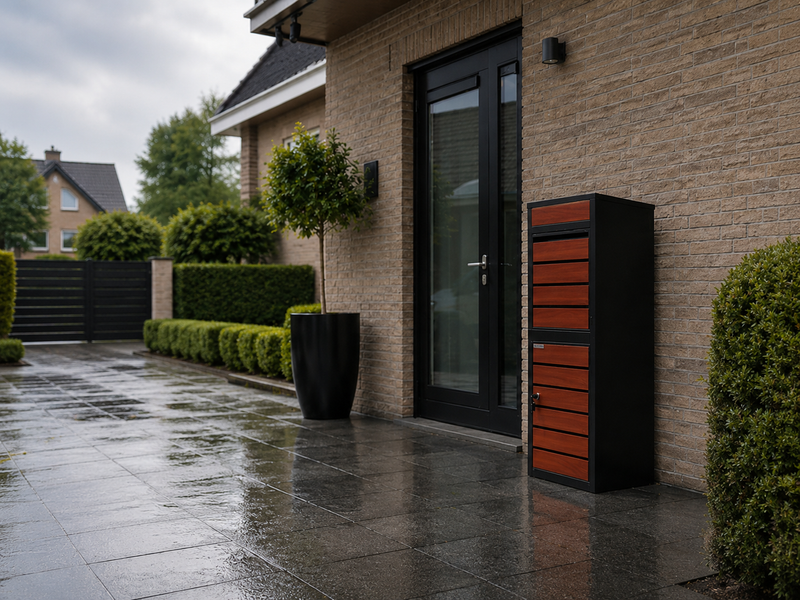
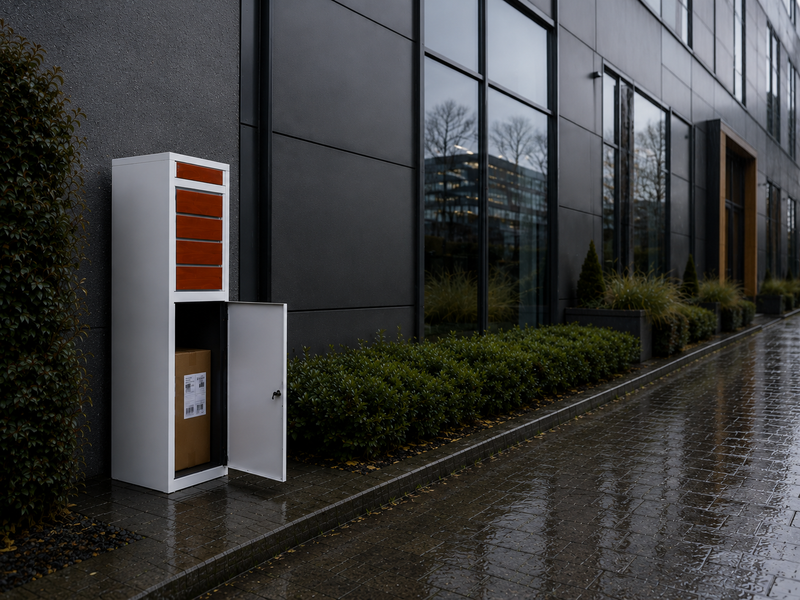
Every BunnyBox can be made smart with a separate sensor, and the construction helps. All series are made of 0.7 mm galvanised sheet steel with Qualicoat Class 2 powder coating with zinc phosphate pretreatment, with a flap on top for the delivery driver and a door with a key lock and two keys. Those are exactly the two moving parts you need: the flap for the notification that something went in, and the door for the notification that you took it out. Two fifteen-euro magnetic contacts give you the same two-sensor set-up that the Home Assistant blueprints above use.
For mounting, the rule from the datasheets applies: magnet on the moving part, sensor housing on the fixed part, and the gap between the two small. frient gives 0.1 to 1.0 cm as detection distance and SONOFF a maximum mounting distance of 20 mm. So stick the magnet to the inside of the flap, as close as possible to the edge where it meets the box, and the sensor housing just below it on the side wall. On the door, do the same on the lock side. Use double-sided mounting tape on a degreased surface, because powder-coated steel is smooth.
- Magnet on the flap, sensor housing on the fixed side wall, gap under 20 mm
- Sensor as high as possible in the box, away from the floor where a box would crush it
- A mains-powered Zigbee router in the front room on the street side
- Sensor in its own plastic housing against condensation
- Debounce of 10 ms in the automation or in ESPHome
- Second contact on the door with the key lock, so you know the parcel is out
- Sensor on the floor, under the parcel
- Magnet and sensor on two parts that do not move relative to each other
- Only a motion sensor, without a second contact
- Gateway at the back of the house, with the garden in between
- USB adapter right next to a USB 3 or HDMI port
- Automation on state rather than trigger, with deep sleep
The choice of model determines how much space you have left and whether post and parcels stay separate. That last point matters for a smart set-up, because separate compartments mean that with two sensors you can also create two kinds of notification: post and parcels separately.
| Model | Type | Parcels up to (mm) | External dimensions (mm) | Post and parcels | Installation |
|---|---|---|---|---|---|
| BunnyBox Compact | Wall-mounted model | 300 x 200 x 200 | 365 x 250 x 450 | Separate slot, 1 compartment | Supplied pre-assembled |
| BunnyBox Style | Freestanding column with wood-effect front | 350 x 320 x 200 | 380 x 365 x 1000 | Separate slot, 1 compartment | Self-assembly kit |
| BunnyBox Home | Freestanding | 370 x 320 x 210 | 410 x 380 x 1020 | 1 compartment | Self-assembly kit |
| BunnyBox Plus | Tall freestanding column | 450 x 320 x 210 | 500 x 370 x 1120 | Separate compartments | Self-assembly kit |

The parcel compartment of a freestanding model is almost half a metre high. So it holds a week of orders, and for a smart set-up that is more than a comfort argument: the more it holds, the less often you need to respond to a notification. In the Maximum column, so tilted the way a delivery driver would, the BunnyBox Home and the Style take 14 book packages and the Plus 18. Four shoeboxes in every freestanding model. Phone boxes: Compact 9, Home and Style 40, Plus 42.
The choice works like this. If you want to start small on the wall, the BunnyBox Compact is the only series supplied pre-assembled: out of the box, hang it up, sensor in and done. If you want a wood-effect front with a separate letter slot, the Style is the answer. If you want the largest parcel compartment, that is the Home. And if you want parcels up to 450 x 320 x 210 mm with post in a separate compartment, so two separate notifications, the BunnyBox Plus is the model. All series are available in RAL 9005 black, RAL 9010 white, RAL 7036 platinum grey and RAL 7016 anthracite, plus combinations with dark teak or light oak. Still not sure? Which BunnyBox suits me puts them side by side. Always someone home with a BunnyBox.

Two more practical points. The height of the sensor in the box determines whether it keeps working when the box is full: stick it high up, close to the flap, and not on the floor. And put the gateway or the router on the street side of the house, not at the back. How to fix the box itself firmly and watertight is covered in installing a parcel letterbox.
View the models
Frequently asked questions about a smart parcel letterbox
Can I make a parcel letterbox smart without Home Assistant?
Yes. A separate parcel alert with its own app costs €49 at Parcelsafe, works on wifi with magnetic mounting and comes with batteries. That product page mentions no subscription and no gateway. A €14.95 Zigbee sensor also works via the SmartLife app, but then a gateway is required, which costs €29.95 extra. Home Assistant gives you more control over the logic, for example a time window or a counter, but it is not a requirement.
Which sensor is the cheapest for a letterbox notification?
A Tuya-type Zigbee 3.0 flap sensor is listed at a Dutch webshop at €14.95 including VAT, with a CR2032 and a stated battery life of up to 2 years. The discontinued SONOFF SNZB-04 was US$8.49, the new SNZB-04P US$15.90. Building it yourself with an ESP32-C3 comes to about $15.50 in parts, but it will cost you an evening.
Do I need a gateway for a Zigbee sensor?
Yes. A Zigbee sensor does not talk directly to your phone. You need either a hub from the manufacturer or a USB adapter with ZHA or Zigbee2MQTT in Home Assistant. For Zigbee2MQTT you also need an MQTT broker, for which Mosquitto is recommended. For ZHA, the Home Assistant Connect ZBT-2 is the recommended adapter.
Will wifi reach the front garden?
That cannot be answered with a figure, because the Wi-Fi Alliance publishes no range figure for 2.4 versus 5 GHz on its main page. We looked and it is not there. What you do know: 2.4 GHz is heavily dampened by steel and brick, and one user with Z-Wave only got about halfway. Put your router or a repeater on the street side and test with your phone at the spot where the box will stand before you buy.
How do I avoid a notification when I collect the post myself?
With a second sensor or with a condition. The blueprints by eroak and Adefx use two sensors and a timeout: if the second sensor also triggers within that time after the first trigger, it was a collection. The Mailbox-Monitor project does it with a delivery window, in that case 11:00 to 17:00, a Left Open state after 1 minute open and a midnight trigger.
How long does the battery of such a sensor last in winter?
Manufacturer claims range from up to 2 years (Tuya type via a Dutch webshop) to 9 years (frient Entry Sensor reporting every 2 minutes), with SONOFF at more than 5 years and SwitchBot at typically 3 years. All claims apply at room temperature and with few openings a day. More important than the cell is the device's stated operating temperature: the Aqara P2 stops at -10 °C, the Shelly BLU at -20 °C, the frient at 0 °C and the Homematic IP HmIP-SWDO-2 at +5 °C.
Is there a sensor that is really waterproof?
Of the eleven flap sensors checked, three publish an IP code, and all three are codes that claim no splash-proofing: frient at IP40, Philips Hue Secure at IP20 and the Homematic IP HmIP-SWDO-I at IP20. The other eight state no IP rating on their own page. That is why, in DIY practice, the sensor is put in its own housing: a 3D print in PETG or ABS with silicone sealing, or an IP65 ABS junction box for about $2.
Can I also see whether the parcel has been collected?
Yes, with a second contact on the door with the key lock. That is exactly what the Adefx blueprint does: one sensor on the drop flap for post going in and one on the door for post coming out, with a counter that goes up on delivery and is reset on collection. In a BunnyBox, the flap on top and the door with the key lock are the two logical places for this.
Can I make a BunnyBox smart?
Yes. Every series has a flap on top and a door with a key lock, so you stick a magnetic contact on the flap and, if you like, a second one on the door. Keep to the mounting distance in the datasheets: frient gives 0.1 to 1.0 cm, SONOFF a maximum of 20 mm. Put the sensor high in the box and make sure there is a mains-powered Zigbee router on the street side of the house.
What does it cost in total to make my parcel letterbox smart?
Allow €14.95 for the flap sensor if you already have a gateway, or €44.90 for sensor plus hub. If you want two sensors, for flap and door, you only double the sensor part. Building it yourself with an ESP32-C3 comes to about $15.50. For comparison: a ready-made smart parcel box with built-in 4G costs €1,599.
Sources, dates and what we could not verify
All the figures on this page come from the sources below. Where a manufacturer does not publish something, we say so, because on this subject that is the most important finding. We update this page as soon as a manufacturer changes its specifications, and also check it twice a year.
Manufacturers and project documentation, all retrieved on 26 August 2026: Aqara, specification page Door and Window Sensor P2 and product page Motion Sensor P1. SONOFF and ITEAD, product pages SNZB-04P and SNZB-04. Shelly, Knowledge Base ShellyBLU Door/Window and the Shelly webshop, plus Shellyparts.de. SwitchBot, product page Contact Sensor. Philips Hue UK, product page Hue Secure contact sensor. frient, product pages Entry Sensor and Entry Sensor 2 Pro. Homematic IP, product datasheet HmIP-SWDO-I and the comparison PDF of the window and door contacts. Energizer, CR2032 datasheet, form 2032NA0618. Connectivity Standards Alliance, pages on Zigbee and Matter. Wi-Fi Alliance, Discover Wi-Fi. LoRa Alliance, About LoRaWAN. Espressif, ESP32 schematic checklist.
Home Assistant, ESPHome and Zigbee2MQTT, all retrieved on 26 August 2026: Home Assistant, integration pages Binary Sensor, ZHA and ESPHome. Home Assistant Companion, documentation on basic notifications. ESPHome, component pages GPIO Binary Sensor, hx711, vl53l0x, ultrasonic, adc, deep_sleep and esp32_ble_tracker, plus the FAQ. Zigbee2MQTT, Getting started, the Zigbee network article, the page on range and stability, and the device pages DJT11LM and TS0203.
Community and projects: Make It Work Tech, Easy Mailbox Notifications in Home Assistant, 7 September 2021. Ingenious Makers, ET-SW01 a very low consumption mailbox switch, 5 November 2022. Blake Niemyjski, How to get notifications when your mailbox is opened, 17 December 2020. Home Assistant Community, blueprint Smart mailbox v1.0.1 by eroak, and blueprint Simple Mailbox notifier by Adefx, 8 September 2025. Home Assistant Community, the threads on ESP32 deep sleep and power consumption (with measurements from August 2019, December 2024 and February 2025) and Mailbox sensor running on batteries, 3 and 4 June 2024. GitHub, Mailbox-Monitor by LorDHaZarD. Homey Community NL, Er is post! Smart brievenbus. Botmonster Tech, Build a DIY mailbox notification sensor with ESPHome. vd Brink Home Automations, Allux 600 with Zigbee contact sensors.
Market and prices, retrieved on 26 August 2026: Van Eyck for the Custo Smart parcel box, Renz Group CH for myRENZbox, Burg-Wächter for the eBoxx line, bravios.nl, pakketpanda.nl, my-esafe.be and onzo.world, keilbach.com, frabox.de, parcelsafe.com and topbrievenbus.nl, and smarthomekoning.nl.
Please note. We looked for the following and did not find it, so this page makes no claims about it. The rules for a camera at your home or garden in the Netherlands are set by the Autoriteit Persoonsgegevens; on 26 August 2026 we could not retrieve the relevant pages of the Autoriteit Persoonsgegevens, Rijksoverheid.nl or the Juridisch Loket in readable form, so we have no quote with a page date. For the Bosch Smart Home door and window contact II we found no working product page with temperature range, IP code, battery life or price. From Parcel Home we could not retrieve a single page. For a pressure mat or pressure plate as a letterbox sensor we found no datasheet with measuring principle, temperature range or IP code. We could not check the official definitions of IP20, IP40 and IP65 with the IEC, so we only quote the codes as manufacturers state them. Range figures from the Z-Wave Alliance, a wifi range figure from the Wi-Fi Alliance, the Zigbee range from the official CSA specification and the European LoRaWAN bands are not on the pages we retrieved. frient and Homematic IP do not publish consumer prices in euros. For PoE or solar power for an ESPHome letterbox sensor we found no source with concrete figures. For the Aqara Motion Sensor P1 we got no specification table with temperature or IP code. And for the Smart parcel letterboxes category at Pakketpanda we could only establish its existence and the general price range, not the sensor type or the technology. Last checked on 26 August 2026.